
Fish tables · Slots · Storm-themed lobby
Ultra Thunder official site: one account for your wallet and every game
Ultra Thunder is a storm- and lightning-themed sweepstakes platform with fish tables, slots and a few table games. This is the official site. You sign up free yourself, and your wallet, game logins, transaction record and live chat all sit in one account, with nobody in the middle.
- Official Ultra Thunder platform
- One account, no agent needed
- Browser, Android and iPhone
- 18+Adults only
Ultra Thunder at a glance
Sign up free, by yourself
Create your own account with the Sign up button. Nobody sets it up for you, nobody charges for a login, and no stranger handles your details.
Play in a browser or on your phone
Launch games from your account in a web browser, or use your game login in the Ultra Thunder app: an APK on Android, or a home-screen web app on iPhone and iPad.
One account and wallet for the lineup
The same login and wallet also open Fire Kirin, Orion Stars, Juwa, Game Vault, Milky Way and the other games in your account, so a single wallet funds them all.
Game logins made for you
Choose Get Game Access on a game and its username and password are created automatically and shown in your account, with no waiting on anyone's message.
Every move on record
Deposits, Cash Ins, Cash Outs and withdrawals each appear in Transaction History with a status, so you can always see where your money is.
Live chat inside your account
Questions go to live chat once you've logged in. Real support never asks for your password, which makes impostors much easier to spot.
How it works
Create your free account
Tap Sign up, check the address bar reads play.ultrathunderapp.com, fill in the form and confirm you meet the age minimum: 18, or higher where local rules say so.
Deposit to My Wallet
Open the cashier, pick one of the payment methods it lists that day and deposit an amount you've set aside for entertainment.
Get Game Access and Cash In
Pick a game, choose Get Game Access to receive its login, then use Cash In to move credits from your wallet into that game.
Play in the browser or an app
Launch the game from your account, or sign in to its app with the game login. Check the info screen before raising a bet; every result is random.
Cash Out, then Withdraw
Cash Out returns a game balance to your wallet. From there, Withdraw sends money to you, and Transaction History tracks the status of each step.
From the lobby
A few of the named fish tables and slots. Browse every named game.











What you get on the official platform
This website, ultrathunderapp.com, is the official Ultra Thunder site. The player app it opens runs at play.ultrathunderapp.com, and that’s where your account lives. The Sign up and Log in buttons on every page here take you straight to it, so you never need a link from anyone else.
Most of the lobby is two kinds of game. Fish tables are arcade-style shooters: you aim a cannon at targets drifting across a screen you often share with other players. Slots are reel games, each built around its own theme, and a small corner holds table games.
The games suit adults who enjoy arcade shooting or themed slots and treat what they deposit as the price of entertainment, not a way to earn money. Outcomes are random, and losing what you put in is a common result. You can read how this site’s guides are written and the claims it refuses to make.
One account, one wallet, the whole lineup
Your account isn’t limited to the storm-themed lobby. The same login and wallet also open Fire Kirin, Orion Stars, Juwa and Juwa 2, plus Milky Way, Game Vault, VBlink, Panda Master, Ultra Panda, Game Room and Cash Machine. Ultra Thunder is the platform’s own brand. The other titles are games available in your account, and this site doesn’t speak for the companies behind them.
Each game has its own login, and you don’t ask anyone for it: choose Get Game Access on the game, and a username and password are created and displayed in the account. You can then launch it in the browser from the account, or sign in to that game’s app with those details. The sign-up guide walks through your first Get Game Access, and the login guide explains how the account login and the game logins differ.
A sensible habit once you’re set up: Cash In only what you plan to play in one session, and Cash Out whatever’s left when you stop.
How money moves, and where to check it
Every money step happens inside your own account, and each one leaves an entry in Transaction History.
| Step | What it does | Covered in detail by |
|---|---|---|
| Deposit | Adds real money to My Wallet, using a method the cashier lists | Wallet deposits and Cash In |
| Cash In | Moves credits from the wallet into one game | The same deposit guide |
| Cash Out | Returns a game balance to the wallet | Cash Out and withdrawals |
| Withdraw | Sends money from the wallet to you | The same withdrawal guide |
Transaction History marks each entry as pending, processing, completed, failed or cancelled. That record belongs to you, and it’s the first place to look if a balance seems wrong.
This site doesn’t list payment methods, limits, fees or processing times, because they change. The cashier shows what’s available when you deposit, and the deposit or withdrawal screen, or live chat, answers the rest before you confirm. Promotions follow the same rule: any current offer and its terms appear in your account, and the guide to bonuses and their terms lists what to read before you accept one.
Playing safely, with no middleman
Sweepstakes players are often told to find an “agent” who sells them a login and loads their credits. Here, that step doesn’t exist. You open the account yourself, your money sits in your own wallet, and game logins are generated inside the account. With no stranger in the middle, there’s nobody to hand your money to and hope for the best.
That doesn’t stop people from borrowing the name. Be careful with:
- anyone selling accounts, logins or “cheap credits”;
- a request to pay someone’s personal payment-app account instead of using the cashier;
- a “support” profile that messages you first, or asks for your password or a one-time code;
- a lookalike website or a “modded” app that promises better results.
Red flag: Anyone who wants you to pay them directly to get started isn’t part of the platform. Sign-up costs nothing, and deposits only go through the cashier inside your own account.
The guide to how fake agents and distributors operate covers their usual script and the checks that prove you’re on the real platform. If you’ve already paid someone, the scam help section explains the first steps to take and where to report it. Be aware that this platform can’t get back money paid to a third party, and offers to “recover” it for a fee are usually a second scam.
Inside the storm-themed lobby
At our last lobby check, in November 2026, the snapshot behind this site counted 198 game tiles: 36 fish tables, 158 slots, three bet or table tiles and one crash-style tile. Sixty-six of those tiles carry an English name, and the other 132 have no published name, so we don’t invent one. The complete games list explains how the catalog is organized.
Fish tables
Two fish tables carry the storm right in their names. Raiden puts red-and-white fighter jets on its tile, and its Chinese title, 雷电, simply means “thunder and lightning”. Buffalo Thunder shows a heavy-shouldered bison with lightning crackling around it, and its Chinese title, 雷暴牛, reads as “thunderstorm bull”.
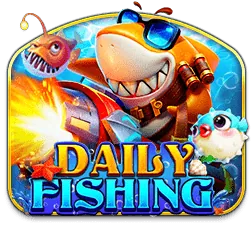
For a first visit, Daily Fishing is worth a look. Its Chinese title, 天天捕鱼初级场, translates roughly as “everyday fishing, beginner room”, and the game’s info screen is the place to see what that label means for bets. Browse all 24 named titles on the fish games page.
Slots and table games
The slot section is far larger. Wealth and luck are common themes, as on God of Wealth, whose tile shows a beaming god in a red-and-gold hat. Others borrow from stories: Shuihu, lettered “Shui Hu” on its tile, takes its Chinese title from Water Margin, the classic novel of the Liangshan outlaws. The slot games page groups all 39 named slots by theme.
The smallest section holds Blackjack, whose tile shows a big gold “21” on a casino chip, and Keno, the classic number-draw game.
Browser, Android or iPhone
You don’t have to install anything to start, because the account and its games open in a web browser. If you’d like an app icon for the Ultra Thunder game itself, the route depends on your device, and neither one goes through Google Play or the App Store.
| Android phones and tablets | iPhone and iPad | |
|---|---|---|
| What you get | An APK (Android package) file you install yourself | A browser link that runs as a web app |
| Store listing | None; it isn’t in Google Play | None; it isn’t in the App Store |
| Where the link comes from | This site’s Android button when it’s shown, or your account and live chat | This site’s iPhone button when it’s shown, or your account and live chat |
| App icon | Appears once the install finishes | Added by you through Safari’s Add to Home Screen |
| Full walkthrough | Android APK install guide | iPhone web app guide |
On Android you’ll allow your browser or file manager to install a file from outside a store, which is normal for any APK. That also means the link’s source does the screening a store review would, so ignore files passed around in group chats and read whether the APK is safe to install if you have doubts.
Age limits and habits that keep play in check
You need to be 18 or older to play, or older still where local rules set a higher minimum. Decide what you’re willing to spend before you deposit, and think of it as the cost of a night out, not an investment. Set a time limit too, because fish tables in particular can run long without you noticing. Stop at either limit, and don’t deposit more to win back a loss.
If playing has stopped feeling like a free choice, that’s the moment to pause. The responsible play page covers warning signs and taking breaks, and live chat can tell you whether your account offers limits or a break.
Where to go next
Pick the starting point that matches where you are:
- No account yet: read how sign-up works.
- Ready to add funds: the deposit guide explains the cashier and Cash In.
- Want an app icon: choose your install route for Android or iPhone.
- Signed in and playing: the first-week checklist for new players covers your first sessions.
- Curious how the games work: start with the learning section.
- Got a quick question: the FAQ hub is sorted by topic.
- Something’s wrong: the support page explains how to reach live chat and what to send.
Play Ultra Thunder from one free account
Sign up directly on the official Ultra Thunder platform. Your wallet, game logins, transaction history and live chat all sit in your own account, so there's no agent to pay and nobody to chase. See how sign-up works.
Questions new players ask
Is this the official Ultra Thunder site?
Yes. ultrathunderapp.com is the official site, and the player app where you sign up, deposit and reach support runs at play.ultrathunderapp.com. Before you type a password, check the address bar shows one of those two names spelled exactly, with no extra word, hyphen or different ending. The guide to spotting cloned sites and lookalike addresses shows what copies tend to look like.
Do I need an agent to play?
No. You open your own account for free, deposits go straight into your wallet through the cashier, and game logins appear in the account when you ask for them. Nobody needs to sell you a login, hold your money or load credits on your behalf, and anyone offering to isn’t part of the platform. How sign-up works covers the form, and the fake agent guide explains the pitch to ignore.
Is the game in Google Play or the App Store?
No. Android devices install an APK file, iPhones and iPads open a browser link that runs as a web app, and you can skip both by playing in a browser from your account. This site can’t vouch for any store listing that uses the name, so ask live chat before you install one. The Android APK walkthrough and the iPhone and iPad setup guide each cover one route.
Which payment methods can I use to deposit?
The cashier in your account lists them, and because that list can change, this site doesn’t publish one or promise any service. Check the deposit screen for limits and fees, and ask live chat before you confirm if anything is unclear. Never send money to someone’s personal payment account because they say they represent the platform. The deposit and withdrawal questions page answers the usual follow-ups.
Which game should a beginner try first?
No game is known to favor newcomers, so choose by comfort. A calm, uncluttered fish table is easier to learn on than a busy one, and Daily Fishing stands out because its Chinese title includes the words for ‘beginner room’. On the slot side, pick a theme you enjoy and read the info screen before your first spin. Our roundup of beginner-friendly fish tables compares a few starting points.
Is it legal to play where I live?
This site can’t answer that for you, because sweepstakes rules differ by state and we don’t give legal advice. Check the rules where you live before you deposit anything, and ask a qualified local professional if you’re unsure. The page on whether the platform is legit and legal explains what we can and can’t confirm.